
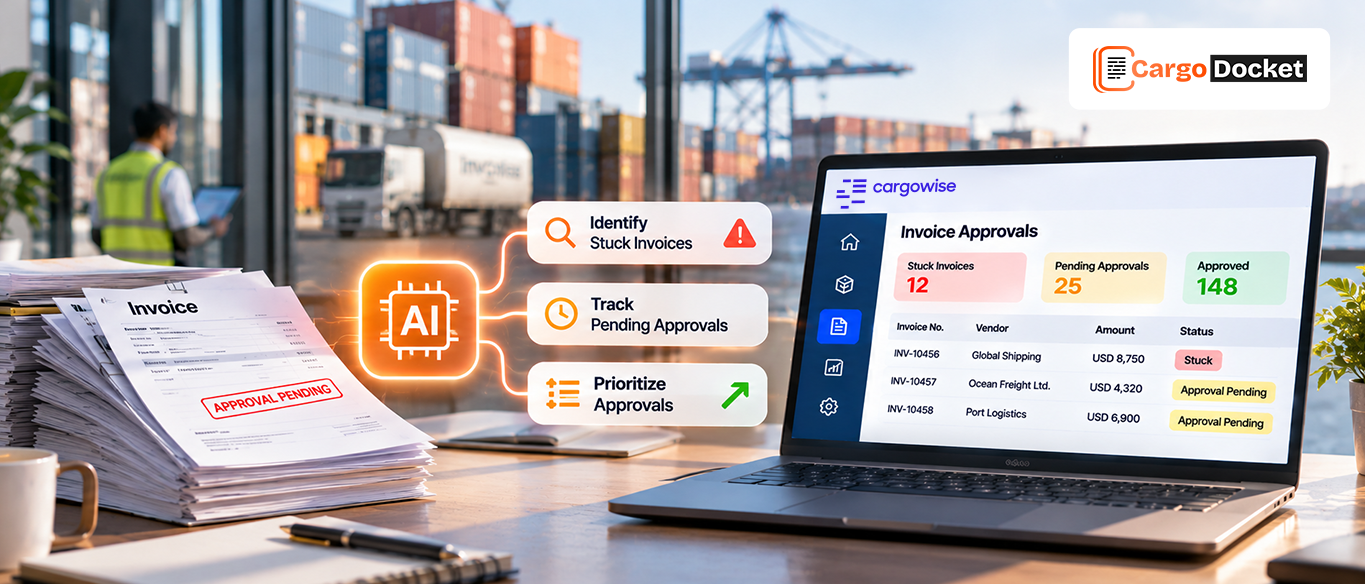
Your AP team may process hundreds of supplier invoices every week, but how many move through the process without delays? Some arrive with missing details, others have differences between billed and accrued costs, and some remain in the approval queue waiting for review.
When these issues are spread across emails, spreadsheets, and CargoWise records, finding the reason for each delay becomes another task for your team. You may know that invoices are pending, but do you know which ones need attention first and what is holding them up?
The challenge is not just processing invoices faster. You need to identify problems early, understand what needs to be reviewed, and prevent pending work from turning into a growing backlog. AI automation can help by extracting invoice details, validating information against CargoWise records, and flagging exceptions for your team to review.
What Causes Your Supplier Invoices to Get Stuck and Approvals to Fall Behind in CargoWise?
An invoice rarely gets delayed without a reason. It could be a missing job reference, an incorrect charge, or a difference between the supplier’s invoice and the cost recorded in CargoWise. Sometimes, the invoice is ready for review but is still waiting for the next person to take action.
When your team handles a high volume of invoices, even small issues can create delays.
Here are some common reasons your supplier invoices may get stuck:
- Missing invoice information: An invoice may arrive without a job reference, invoice number, invoice date, or other required details. Your team needs to check the document or contact the supplier before proceeding.
- Incorrect invoice values: The billed amount, tax, currency, or line-item details may not match the expected information.
- Accrual discrepancies: The supplier’s charges may differ from the costs recorded against the job in CargoWise. Your team needs to investigate the difference before moving forward.
- Duplicate invoices: The same supplier invoice may be submitted more than once, requiring verification to avoid duplicate processing.
- Pending approvals: An invoice may be waiting for a manager or another responsible team member to review and approve it.
- Unclear ownership: Your team may identify an issue but not immediately know who needs to resolve it or what action should come next.
These problems can create a chain reaction. One invoice waits for correction, another remains pending because of a charge discrepancy, and several others are held up in the approval process.
Before long, your AP team is spending more time checking invoice statuses and following up with colleagues than processing new submissions. Identifying the reason behind each delay is the first step toward getting that work moving again.
Why should You Identify Delayed Invoices Before they Turn into a Growing AP Backlog?
Imagine your team receives 100 supplier invoices in a day. Most are ready for processing, but 15 need additional attention because of missing information, incorrect values, or charge discrepancies.
If your team does not identify these issues early, those invoices can remain in the pending queue. Meanwhile, new invoices continue arriving, making it harder to keep track of older submissions.
By identifying these issues early, you can give your team a clearer way to manage the workload:
- Resolve invoice issues sooner: When missing information or incorrect values are identified early, your team can request corrections or verify the details before the invoice gets held up for longer.
- Work on the right invoices first: Your team can focus on older pending invoices and records that need immediate review instead of treating every invoice as equally urgent.
- Spend less time chasing updates: When the reason for a delay is visible, your team does not have to repeatedly search emails or contact colleagues just to understand an invoice’s status.
- Keep track of the AP workload: Knowing which invoices are ready, pending, or flagged for review helps you understand where work is accumulating.
- Follow up on outstanding approvals: Identifying invoices waiting for approval helps your team follow up with the appropriate reviewers and move approved invoices to the next processing step.
The goal is to make sure your team knows what needs attention and why. This helps prevent unresolved invoice issues from building up while new submissions continue arriving.
How can AI Automation Help You Find Invoice Errors, Track Exceptions, and Prioritize Pending Approvals in CargoWise?
Manually checking every supplier invoice against CargoWise records can take considerable time, especially when your team processes a large volume of documents. AI automation helps reduce this effort by extracting invoice information, validating relevant details, and identifying records that need further attention.
Here is how it can support your invoice processing workflow.
Extract supplier invoice details automatically.
When a supplier invoice arrives, AI document automation can read important information such as the supplier name, invoice number, invoice date, currency, line items, tax, and total amount.
Instead of entering every detail manually, your team can work with the extracted information and move to the next validation step.
Validate invoice information against CargoWise records.
Extracting invoice details is only one part of the process. Your team also needs to make sure the information matches the relevant CargoWise records.
For freight forwarders working with overseas suppliers, invoices may arrive in different currencies. One supplier may bill in USD, another in EUR, while a UK-based supplier may send an invoice in GBP. AI automation can capture the multi invoice currency and amount and help validate the information against relevant CargoWise records and configured currency rules. This helps your team identify details that need verification before processing.
Identify differences between invoice charges and accrued costs.
A supplier may submit an invoice with charges that differ from the costs recorded against a shipment or job. Without a proper comparison, your team may need to check the invoice and job records manually.
For example, an invoice issued in EUR may need to be checked against job costs recorded in another currency. Your team may need to verify the applicable exchange rate and amounts before confirming the difference. Automated accrual comparison helps highlight these discrepancies and brings them to your team’s attention for review.
Flag exceptions that need further review.
Not every invoice will pass the validation process. Some may contain missing information, incorrect values, or discrepancies that need to be investigated.
AI automation can flag these exceptions and help organize the records that require attention. Your team can then focus on the specific issue instead of checking every invoice from the beginning.
Request approval and post invoices to CargoWise.
Once your team reviews the flagged exceptions and verifies the invoice details, the invoice can move through the required approval process. After the necessary approval is received, the validated invoice data can be posted to CargoWise according to your configured workflow.
This brings automated extraction and validation together with human review and approval, helping your team maintain control over invoice processing.
How can You Review Your Daily Invoice Workload and Identify What Needs Attention First?
Knowing that invoices are pending is not enough. You also need to understand why they are pending and what your team should work on first.
When reviewing your daily invoice dashboard, what should you check first? Start with the information that helps you identify delayed invoices, unresolved exceptions, and outstanding approvals.
For example, your daily review can include:
| What to review? | What you should check? | Why it matters? |
| Pending invoices | Number of invoices waiting for processing | Helps you understand the current workload |
| Older pending invoices | Invoices that have remained unresolved | Helps identify delays that need follow-up |
| Invoice exceptions | Missing details, incorrect values, and mismatched records | Shows which invoices need further investigation |
| Accrual discrepancies | Differences between supplier charges and recorded job costs | Helps your team verify cost differences |
| Pending approvals | Invoices waiting for the required review | Helps identify outstanding approval actions |
| Duplicate invoices | Repeated invoice numbers or submissions | Helps prevent duplicate processing |
Once you have this information, you can follow a simple daily review process.
Start with older pending invoices: Check which invoices have been waiting the longest and understand why they have not moved forward. This helps your team avoid overlooking older records while processing new submissions.
Review invoices with exceptions: Look at missing details, incorrect values, and charge discrepancies. Identify whether the issue requires a correction, supplier follow-up, or internal verification.
Check pending approvals: Find invoices that are waiting for review or approval. Follow up with the responsible team members so that completed checks do not remain unattended.
Confirm the next action: Once you understand the reason for each delay, decide whether the invoice needs additional information, correction, verification, approval, or further processing.
This gives your team a more organized way to manage daily invoice work. Rather than treating every pending invoice as the same problem, you can focus on the reason it is delayed and the action needed to move it forward.
How does CargoDocket Help You Automate Supplier Invoice Processing in CargoWise?
When your team handles a high volume of supplier invoices, manual data entry, repeated checks, and exception identification can slow down AP operations.
CargoDocket helps reduce this workload with AI-powered document automation made for CargoWise workflows.
With CargoDocket, your team can:
- Extract invoice details: Capture supplier information, invoice numbers, dates, line items, and amounts from supplier invoices.
- Validate invoice data: Check extracted information against relevant CargoWise records and configured business rules.
- Compare accrued costs: Identify differences between supplier invoice charges and recorded job costs.
- Manage invoice exceptions: Flag missing details and mismatched information for your team to review.
- Map data to CargoWise: Convert extracted invoice information into the required CargoWise fields and charge codes.
- Request approval and post invoices to CargoWise: Send validated invoice data through the required approval process and post approved invoices to CargoWise according to your configured workflow.
This helps your team reduce repetitive data entry and manual validation. Instead of spending time checking every invoice from scratch, your AP staff can focus on exceptions, investigate discrepancies, and complete the required reviews.
Stop Chasing Invoice Updates. Start Fixing What Holds them Up.
Your AP team shouldn’t have to spend the day opening invoices, checking job records, searching for approval updates, and following up on every pending transaction.
You need a process that helps you identify what is holding up an invoice, brings exceptions to your attention, and gives your team a clear path to review and approval.
That’s where CargoDocket comes in. CargoWise AI document automation helps extract supplier invoice details, validate them against CargoWise records, identify discrepancies, and prepare approved invoice data for posting to CargoWise.
Give your team less manual checking and more time to focus on the invoices that actually need their attention.
Ready to see how it works with your CargoWise workflow? Contact us to explore a practical approach to AP invoice automation.